
iPhone to Computer Transfer
iPhone Transfer Software for Mac
iPod iPad iPhone transfer to PC

Phone to PC (formerly "Pod to PC") is iPad, iPod or iPhone transfer software that easily copies music, videos, playlists and photos from iPod to computer and into iTunes. Phone to PC works with all iPods including the iPad and iPhone. Phone to PC uses the USB cable and works with or without jail-breaking the iPhone/iPod so there's no need to modify your iPod.

FOR WINDOWS
XP, VISTA, 7 or 8
Version 4.1.4.9
Requires iTunes 10 or later
iPod Transfer Software Reviews
  • "I purchased the Pod to PC when I got a new computer. This is an amazing program, very easy to use and very effective. A+"
    Brian - Marin county, CA, Dec 24, 2011
  • "I admit, computers baffle me and I when I read all the horror stories about losing ipod contents, trying to transfer to a PC, I was worried - I needn't have been. I downloaded Phone to PC, plugged in my ipod, which contains all 50+ years of my record collection, and it transferred immediately. No more stress and a big thank you for helping to preserving my musical heritage."
    Leslie Burgess - France, Dec 13, 2011
  • "had this when it was still pod to pc. Great program - very useful and easy to use.Obviously a lot of thought and care went into this. It is well worth the cost. "
    Tony - canada, Dec 02, 2011
  • "Everything as promised. The phone support is great. I lost my reg code, and Alex quickly answered the phone and sent it to me. This clearly exceeded my expectations."
    Sam R. - Hudson, Ohio, Oct 15, 2011
  • "love it, thank you so much"
    - , Oct 09, 2011
  • "Love this programme,second time i have had to use it.This time on my new computer,so simple to use,thanks you people."
    Mick. S. - Costa Blanca Spain., Oct 05, 2011
  • "I had 2 old iPods that I've only been able to use on a speaker dock for YEARS... In just minutes I have transferred thousands of songs back into my iTunes library. This program JUST WORKS!"
    Rachel - Australia, Aug 30, 2011
  • "Great program! Moved everything from my Ipod Touch to my new computer with absolutely no problems! Thanks and I am looking to get other Macroplant products now!"
    rbigd - Hilliard Ohio, Aug 21, 2011
  • "Thank-you Macroplant, I bought the Phone to PC and Dupe Away Combo for Just over £20 and I have never been happier with a purchase in my life! Thanks to you I didn't lose a single track, movie or photo when I got my new laptop. [...] If you have ever sacraficed your media and spent time and money rebuilding your library, this product will make your day, week, month and year" Thank-You So Very Very Much Macroplant. It's Worth Every Penny. "
    Thankfully Jody - US, Aug 11, 2011
  • "It was so easy!! It really works :o) "
    Ivonne - Skippack, PA, Aug 04, 2011
iPhone Copy
Copy from iPhone

Copy from iPod, iPad & iPhone

Phone to PC lets you easily transfer music or video files from any iPod, iTouch, iPad or iPhone onto you computer and into iTunes.

Reverse Transfer

Automatic Transfer

For users looking to recover all their music, the Automatic Transfer button will quickly transfer all songs and playlists from your iPod or iPhone that are not already in iTunes. This is the easiest way to move music to your new computer or recover from a crash.

Transfer ratings from iPod

Recover Metadata

Listen to a few tracks 100+ times and proud of it? Along with your songs, Phone to PC will copy your play counts, ratings (out of 5 stars), album names and much more.

Copy Music from iPhone iPod iPad to Windows PC iPhone Music Transfer
iPod Playlist Copy

Playlist Builder

Easily copy whole or partial playlists from any iPod into iTunes. With Phone to PC's duplicate detection, you can even recreate playlists without having to copy the tracks again!

Search iPod iPhone Files

Search iPod, iPad and iPhone for Music

Quickly find the tracks you're looking for with the Phone to PC search bar and filter option. This search feature allows users to find music by search for track name, artist name or album name.

iPod Picture Transfer

iPod and iPhone Picture Transfer

Phone to PC includes a free image transfer features which parse the enigmatic Photo Database then reveals the images that were saved to the device.

Address Book and Contact

Address Book

Looking for a way to transfer contacts from an iPhone, iPad or iPod Touch to your PC? Simply drag contacts to the Desktop or drop them directly into Outlook.

SMS and Notes

SMS and Notes

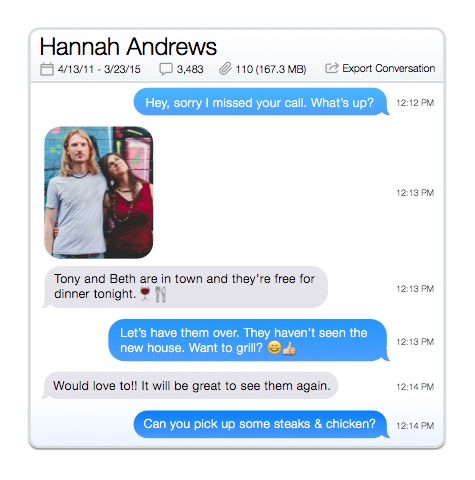
Need a specific text message or note from your iPhone, iPad or iPod Touch on your computer? Copy and manage your SMS and notes all on your PC.

itunes recovery

Crash Recovery

Phone to PC is the ideal solution for recovering iTunes after a computer crash. Simply download, install and click auto-transfer and everything will be back the way it was before.

itunes duplicates

Avoid Duplicates

With built in duplicate detection, Phone to PC shows a blue check mark next to tracks that are already in iTunes. If you try to copy these tracks the software will only add a reference to the existing local track in your target playlist.

iTouch file transfer

Drag and Drop Support

Quickly and intuitively copy songs to your computer by dragging and dropping from Phone to PC. This feature also works with images and videos too!

Call and Web History

Call History, Web History

Browse and sort through your Call and Web history. Access, browse and save your Safari bookmarks.

Calendar

Calendar

Keep those important dates by browsing through your Calendar.

play music on iPod without itunes

Preview Audio, and Video and Photos

Want to play music without using iTunes? Phone to PC lets you preview music and movies on any iPod before transferring it into your iTunes library.

iPod upgrades

Free Upgrades

Apple Inc. is constantly changing how the iPod and iPhone works (think about how often you have to update iTunes or your iPod's firmware). Phone to PC is updated just as rapidly to adapt to these changes. Phone to PC full-version users will receive complementary updates so they don't have to keep buying the same software again and again.

Copy Voicemails

Copy Voicemails

Listen to that important voicemail message directly on your computer. Then backup and store your voicemails on your PC.

Backup Browser

Backup Browser

Browse thru your iTunes backups

iPad transfer to computer iTouch Transfer
Computer Requirements:
  • Windows 7, Vista or XP
  • iTunes 9 or later
  • A USB Connector for the iPod device
iPod Compatibility:
Works with all, iPods, iPhones and iPads including:
  • iPad (all generations)
  • iPhone (all generations)
  • iPod Classic (all generations)
  • iPod Touch (all generations)
  • iPod Shuffle (all generations)
  • iPod Nano (all generations)
You've got questions and our Macroplant support page has answers! If you can't find the answers you're looking for, e-mail us at support@macroplant.com and we'll get back to you shortly. We check our e-mail 7 days a week, so you can expect a response within 24 hours. Phone to PC works with all iPods, iPhones and iPads. The version listed on this page requires iTunes 9 to be installed. If you're using iTunes 8, you'll need an old version of Phone to PC found on our downloads page. While Phone to PC can handle duplicates, if you already have a bunch of dupes on your computer try our incredibly quick Dupe Away program to filter and clean dupes.